TaskFANG · Windows utility
Coming soon to Microsoft StorePDF Form Data Collector
Many filled PDF forms. One Excel workbook.
Drop a folder of filled-in PDF forms and get one Excel workbook with every value: a row per form, a column per field, and the source file next to each row.
Price: $19.90, one-time purchase of the version you buy, through Microsoft Store. The license is personal and for the purchaser's use only.
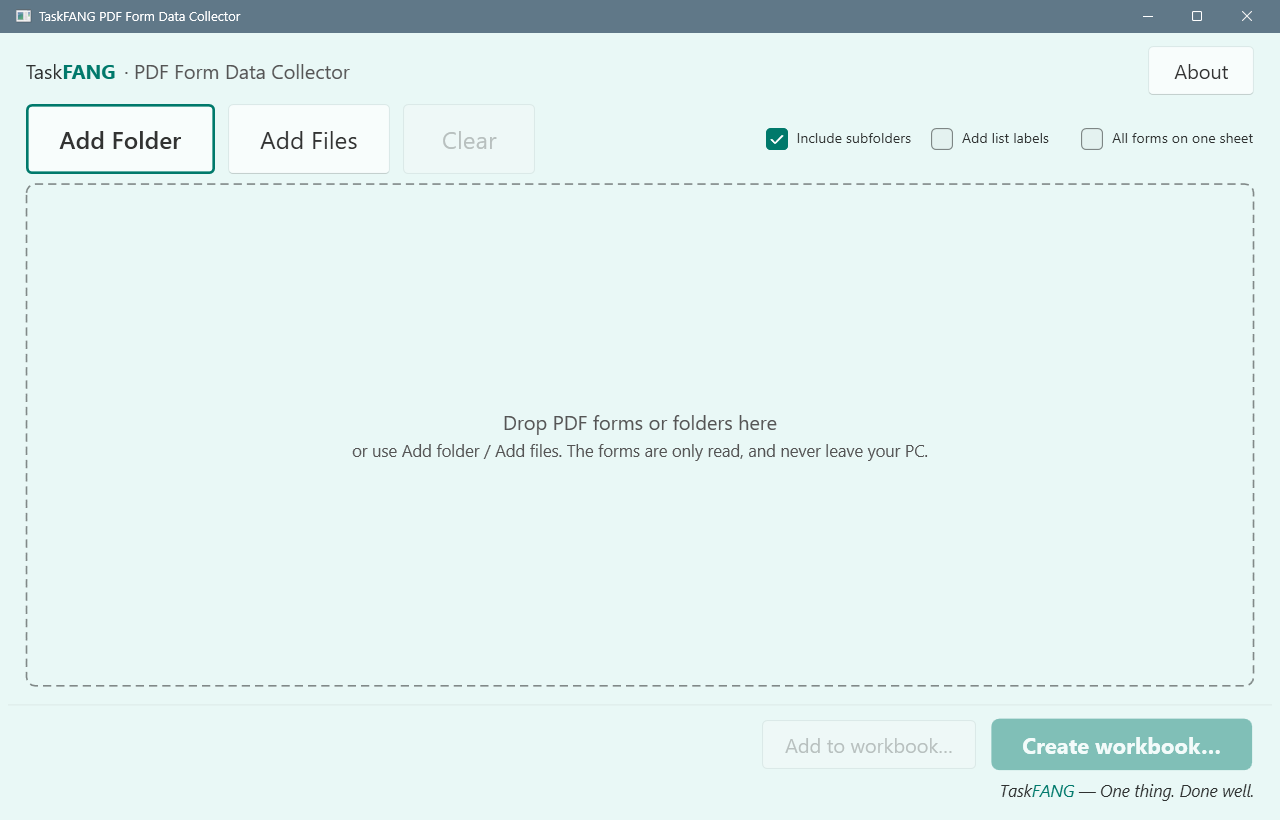
Inside the app
Who it's for
Offices, schools, clubs, clinics and organizations that receive many filled-in PDF forms, such as registrations, applications or questionnaires, and need their answers in one table.
What it does
- Reads the values typed into the form fields: text, check boxes, radio buttons, lists and combo boxes, also in Hebrew and other languages, with line breaks kept.
- Shows the workbook before you save it, and lets you rename and reorder the columns of each form type; it remembers them for next time.
- Writes a real Excel workbook (.xlsx) with a sheet per form type, or all forms on one sheet if you prefer, plus Summary, Files and Problems sheets.
- Adds new forms to a workbook it made earlier. Forms already in it are skipped, and values you corrected in Excel are kept.
- Opens password-protected forms only when you type the password; it is used once and never stored.
The forms are only read. They are not changed and never leave your PC.
Step-by-step guide
- Drop a folder or PDF files on the window, or use Add folder or Add files.
- Look through the preview: one sheet per form type, with Summary, Files and Problems.
- If you like, use Columns… to rename or reorder the columns of a form type.
- Click Create workbook and choose where to save it. An existing file is never overwritten.
- Later, add the new forms with Add to workbook and choose the same workbook.
The workbook
Each form sheet has the source file, its folder and its status, then a column per field. Cells are marked: grey when a field is not in that form, orange when a required field was left empty, red when a value needs a look. The Files sheet lists every file you selected and what happened to it; the Problems sheet explains anything that could not be read exactly.
Questions
Does it read scanned or printed forms?
No. It reads the values stored in fill-in fields. A scanned or flattened PDF has no fields; it is listed as "no fill-in fields".
Are all PDF forms supported?
Standard fill-in forms (AcroForm) are, including the standard fields of hybrid forms. Dynamic XFA forms are not supported and are listed with that reason.
Can I sort or filter the workbook and still add forms to it later?
Corrected values are kept. To sort, filter or reshape the data, use a copy: a workbook whose structure changed is refused for adding, so nothing in it is lost.
What about signatures?
A signature field shows whether it is signed. Signatures are not validated.
How many forms can it handle?
It was tested with 50,000 forms. The size of one workbook depends on the memory of your PC; if a selection is too large, the app says so before it starts.
Requirements
Windows x64. Final supported Windows versions will be confirmed at release. Microsoft Excel or another app that opens .xlsx files to view the workbook.