TaskFANG · Windows utility
Coming soon to Microsoft StorePST Attachment Extractor
Find your attachments. Bring them together.
Open your Outlook mail file, choose the kinds of files and the period, and copy the attachments you need to one folder. Your mail file is only read and never changed.
Price to be announced before release. One-time purchase of the version you buy, through Microsoft Store. The license is personal and for the purchaser's use only.
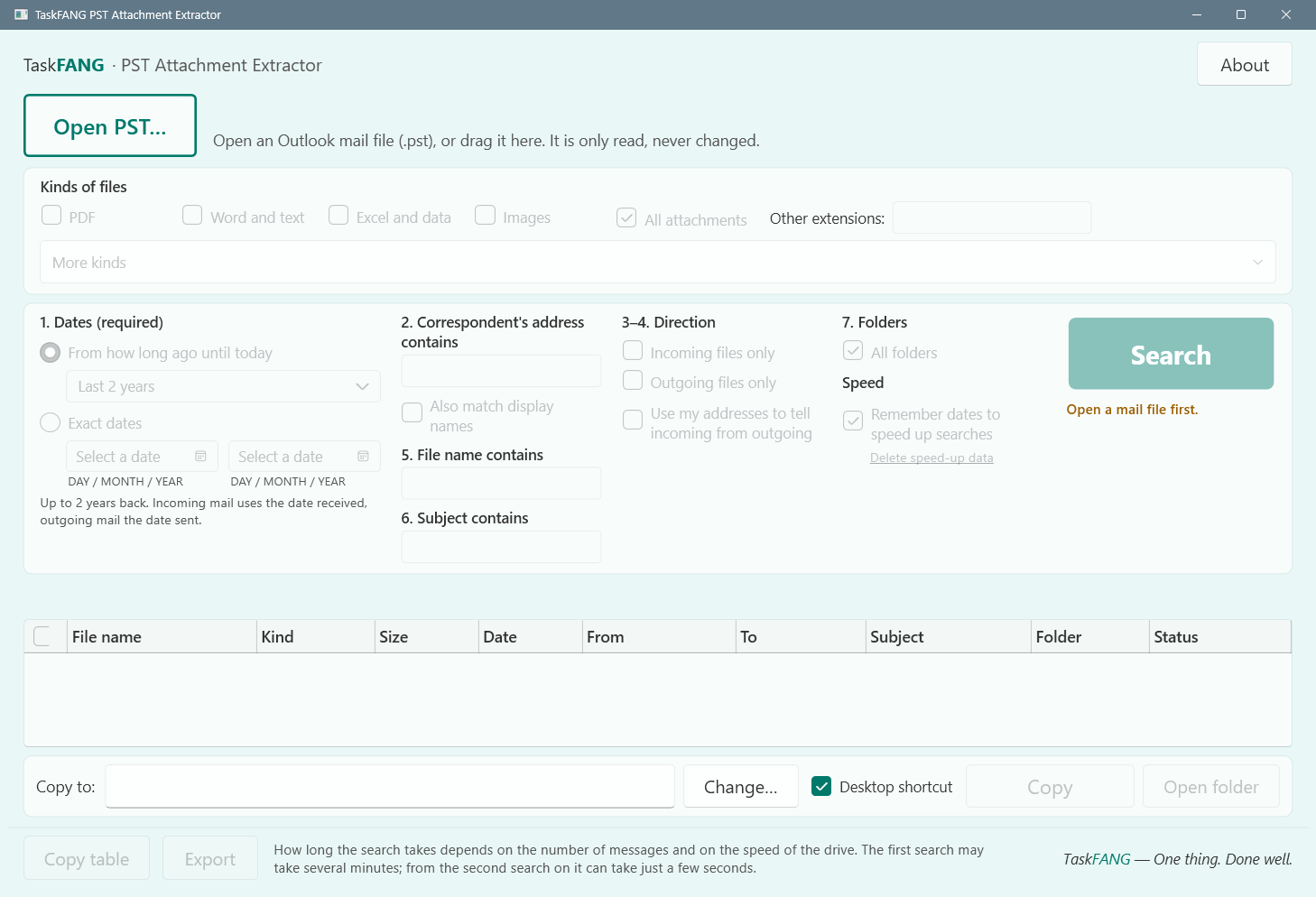
Inside the app
Who it's for
People who need files that came by mail, such as invoices, statements, contracts, spreadsheets or photos, and keep their mail in an Outlook PST file: offices, bookkeepers, and anyone gathering documents for a project or a year-end.
What it does
- File kinds: PDF, Word, Excel, presentations, photos, video, audio, archives, an extension you type, or every file. The first time, PDF, Word and Excel are ticked; after that it remembers your choice.
- Filters: a date range or all time, part of a sender or recipient address, sent or received, file name, subject and mail folder. In the address, file name and subject boxes, part of a word or phrase is enough: “invo” finds “Invoice March.pdf”, and capital letters do not matter.
- Shows each attachment with its message, date and size. A file whose name does not match its declared type is marked, and its name is left as it is.
- Items that cannot be copied, such as links, attached e-mails or embedded objects, are listed with the reason.
- Repeat searches are faster: it keeps search data on your PC, encrypted.
The mail file is opened read-only: nothing in it is changed, moved or deleted.
Step-by-step guide
- Click Open PST. It opens your most recently used mail file; use "Choose another mail file…" for a different one.
- Tick the kinds of files you want and choose the period, or All time.
- Add any other filter, such as part of an address, and click Search.
- Look through the results and tick the files you want.
- Choose the folder to copy to and click Copy.
The copies
The ticked attachments are copied to your folder and every copy is checked. An existing file is never overwritten: a new copy gets a number in its name instead. Before a large copy (a file over 100 MB, or more than 1 GB in total) you are asked first, with the choice to leave the large files out, and the folder is checked for free space. If you cancel, or the disk fills up, no half-written file is left behind. Password-protected attachments stay protected.
Questions
Can I use it while Outlook is open?
Yes. When Outlook needs the mail file, the app lets go of it and tells you. Close Outlook before searching that file again.
Is there a PDF-only edition?
No. PDF is one of the kinds this app finds; just tick only PDF.
Does it print the files or remove duplicates?
No. It finds and copies attachments. Printing is a separate tool: Batch PDF Printer.
How large a mail file can it search?
It was tested on real mail files of up to 39 GB with tens of thousands of messages.
Does it send my mail anywhere?
No. It works on your PC and offline. Nothing from your mail file is uploaded.
Requirements
Windows x64. Final supported Windows versions will be confirmed at release. Outlook PST mail files; OST files and PST files from Outlook 97–2002 are not supported. Outlook itself does not need to be installed.